
How to move a bug or bug comment ?
Who can move a bug report?
Admins, Devs, and Moderators can move a bug report by changing its category and/or subcategory.
Where do I move a bug report?
You can move a bug report on its details page. Locate a bug’s details page by finding the relevant Universe in the front-end Side Navigation.
If a Universe has the “Bugs” feature enabled, you will see “Bugs” in the Universe’s submenu. Click on “Bugs” to go to the “Bugs” page.
You can also reach the “Bugs” page by clicking on “Bugs” in a Universe’s page menu.
Search or browse to locate the bug you want to move.
Click on the bug title to go to the bug details page.
How do I move a bug report?
Once on the details page of the bug you want to move, click the button to the left of “Reply.” Clicking this button will expand the “Actions” toolbar.
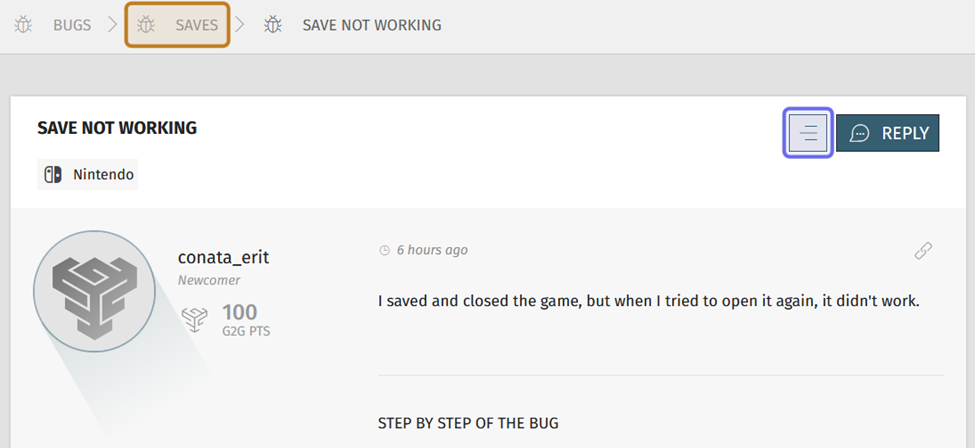
A bug description on a bug details page is shown above. The “Actions” button is highlighted in purple. The bug category in the navigation path is highlighted in yellow.
The “Actions” toolbar includes options to moderate, merge, move, and edit the bug report. The “Move” button has an icon with a horizontal line. Click the “Move” button.

The expanded “Actions” toolbar is shown above. The “Move” button is highlighted in purple.
A window will pop up. The window has two dropdowns. Click the left-hand dropdown to select the new category. Even if you only want to change the bug’s subcategory, you will need to reselect the category.
Note: You can also edit the title before moving the bug.
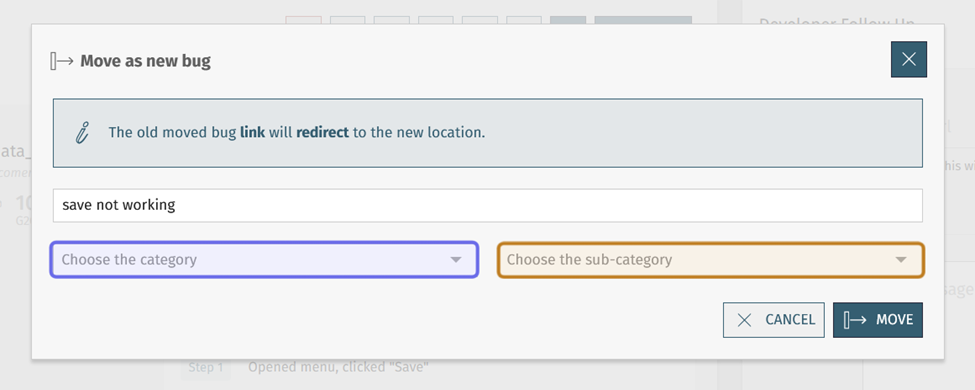
The window to move a bug is shown above. The “Category” dropdown is highlighted in purple. The “Subcategory” dropdown is highlighted in yellow.
Click the right-hand dropdown to select the new subcategory. The subcategory dropdown will only include the subcategories of the selected category.
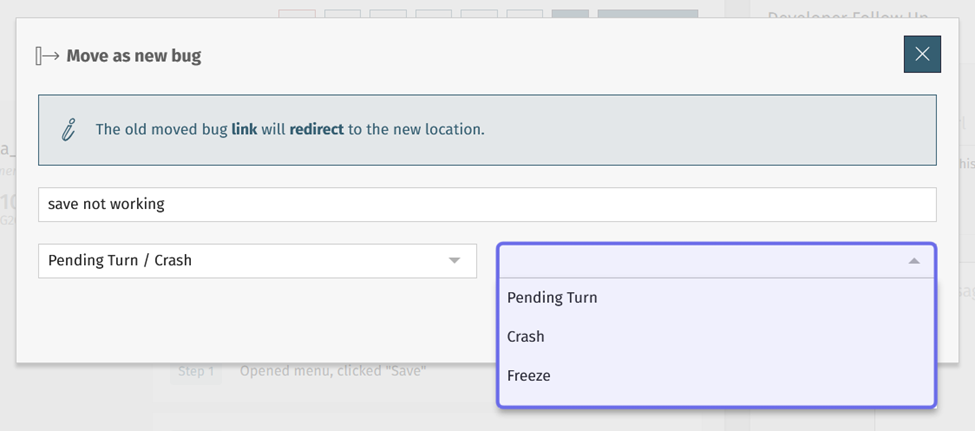
The “Subcategory” dropdown in the image above has been expanded. The subcategory options are highlighted in purple.
Click “Move” in the bottom-right of the window.
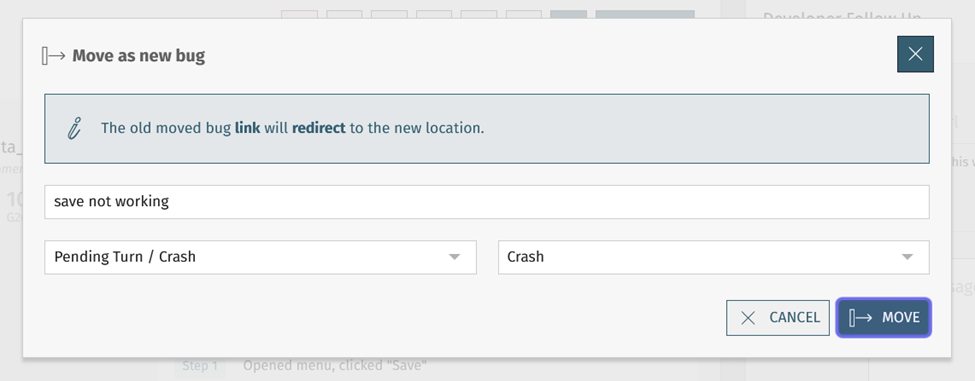
The “Move” button is highlighted in purple above.
The bug’s category and subcategory will be updated. You can see the new category by checking the navigation path below the page menu.
Note: When a bug report is moved to a new category and/or subcategory, its comments and reproductions move with it.

A bug details page’s navigation path is shown above. The category is highlighted in purple.
How do I move a comment or reproduction?
You can also move comments and reproductions. If you move a comment or reproduction, it will become an independent bug report and no longer connected to the parent bug.
Note: The author of the moved comment or reproduction will now see it as an independent bug report under the “Published” tab on their dashboard.
To move a comment or reproduction, click on the button with three horizontal lines in its top right. This will open the “Actions” toolbar.
Click the “Move” button. The “Move” button has an icon with a horizontal arrow.
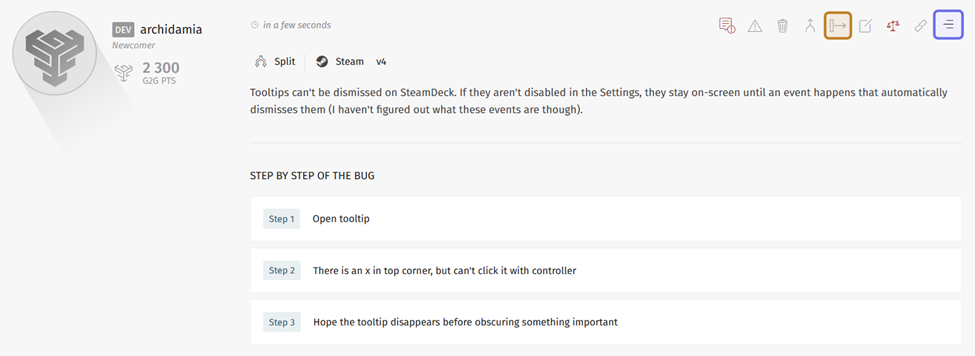
A bug reproduction is shown above. The button that opens the “Actions” toolbar is highlighted in purple. The “Move” button is highlighted in yellow.
A window will pop up with a field for the title and dropdowns to select the new bug’s category and subcategory.
Note: If you are moving a comment, you will need to enter a title.
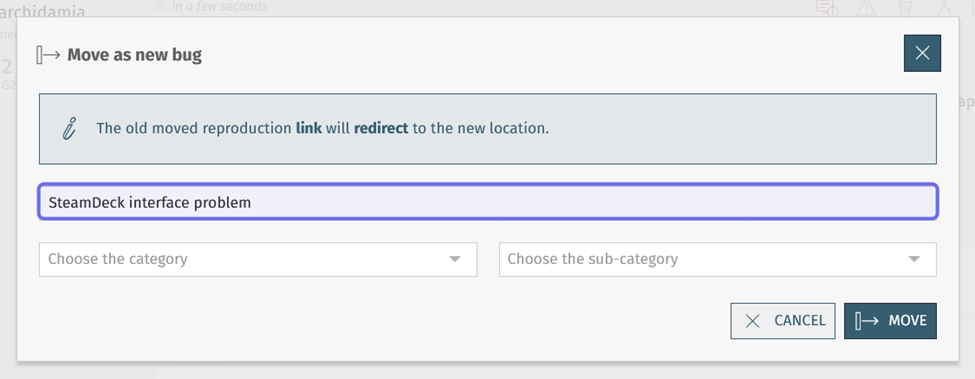
The title can be changed by editing the text field shown highlighted in purple above.
If you move a comment, the window will include a warning. A comment is missing key information for investigating bugs. A comment will not have the platform or version, and there is no set way to add a step-by-step or screenshots.
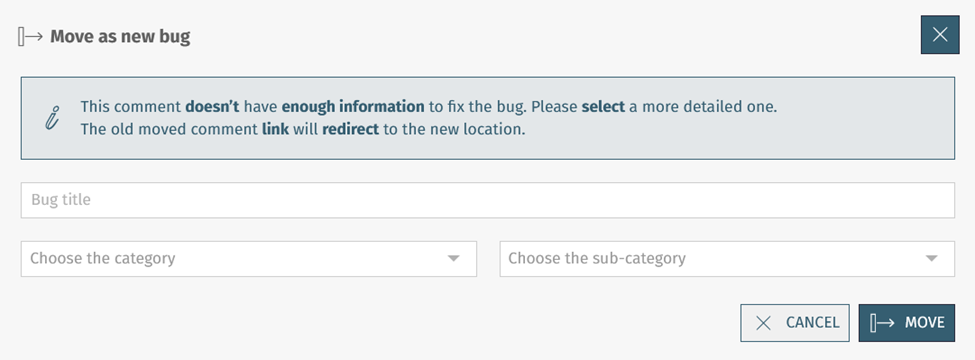
The window above is shown when you move a comment. It includes a warning and the “Bug title” field is empty.
When you move a reproduction, the reproduction title will become the new bug title. However, you can edit the title as needed.
Use the category and subcategory dropdowns to indicate where the new bug should be located.
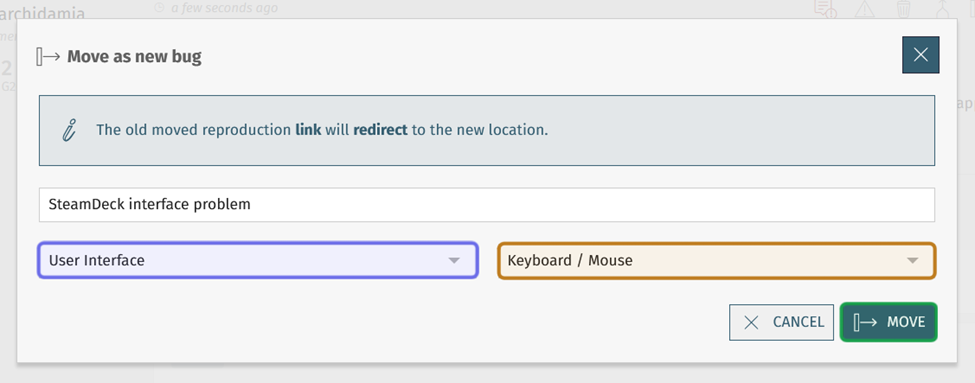
In the image above, the “Category” dropdown is highlighted in purple, the “Sub-category” dropdown is highlighted in yellow, and the “Move” button is highlighted in green.
Click “Move.” The comment or reproduction will become a separate bug in the category and subcategory selected.
Note: If a comment was moved, part of the “General Information” section will be missing. This information cannot be added after the fact.
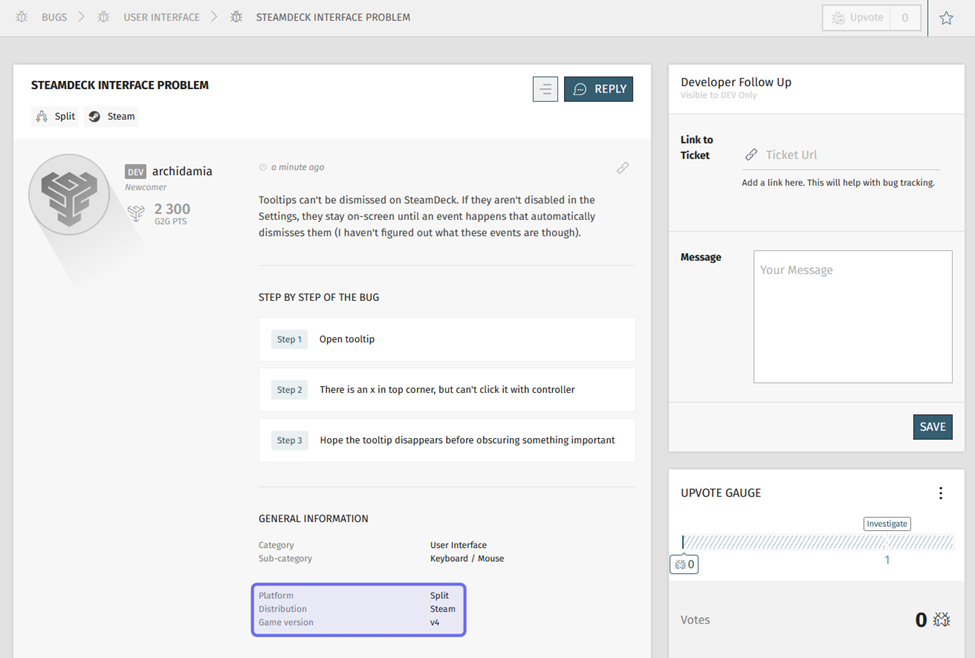
A bug reproduction that has been moved is shown above. The information highlighted in purple will be missing if a comment is moved.