
How to merge a bug or bug comment ?
Who can merge a bug report?
Admins, Devs, and Moderators can merge a bug report.
Where can I merge a bug report?
You can merge a bug report from its details page. Locate a bug’s details page by finding the relevant Universe in the front-end Side Navigation.
If a Universe has the “Bugs” feature enabled, you will see “Bugs” in the Universe’s submenu. Click on “Bugs” to go to the “Bugs” page.
You can also reach the “Bugs” page by clicking on “Bugs” in a Universe’s page menu.
Search or browse to locate the bug you want to merge with another bug report.
Click on the bug title to go to the bug details page.
How do I merge a bug report?
Once on the details page of the bug you want to merge, click the button to the left of “Reply.” Clicking this button will expand the “Actions” toolbar.

The button that expands the “Actions” toolbar is highlighted above.
The “Actions” toolbar includes options to moderate, merge, move, and edit the bug report. The “Merge” button has an icon with a vertical arrow. Click the “Merge” button.
Note: When you merge a bug report, it is added as a new reproduction on the details page of the bug you are merging it with.

The “Actions” toolbar is shown above with the “Merge” button outlined in purple.
A window with a text field will pop up. Enter the URL of the target bug into the text field. The target bug is the bug report that you want to merge the current bug with.
Click confirm.
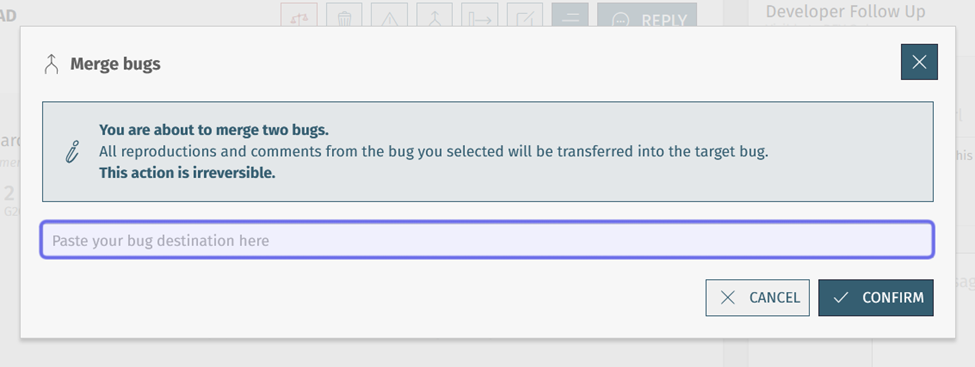
Enter the target bug URL into the field highlighted in purple above.
When you merge a bug, all of its comments, reproductions, and upvotes will be added to the target bug. The number of both will be shown in the “Merge bugs” window after you click “Confirm.”
Note: Hover over the “i” to the right of the “Reproductions/comments” number to see the current count of reproductions and comments on the merged bug and the target bug.
Only unique upvotes will be added to the total. If the same user has upvoted both the merged and the target bugs, only one upvote will be counted.
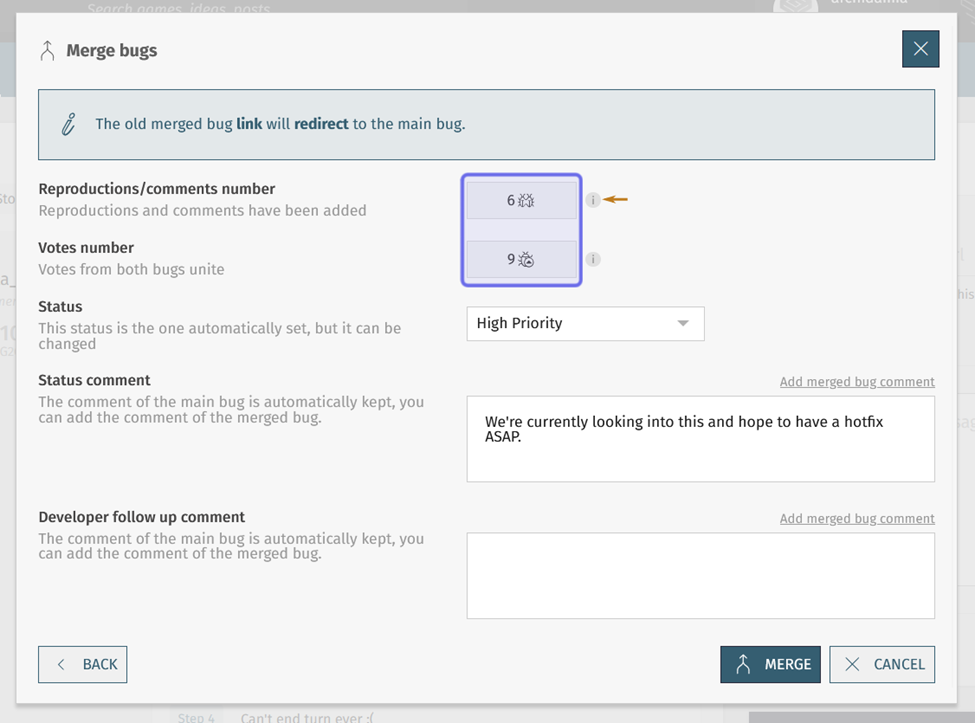
The combined number of reproductions and comments and the combined number of unique upvotes are highlighted in purple above. A yellow arrow points to the “i” that will show the merged and target bugs’ comments and reproductions separated out.
The status of the target bug will be shown below the number of upvotes. This is set to its current status by default. Use the dropdown to change the bug status, if needed.
If the target bug has a status comment, it is automatically preserved. You can add the status comment of the bug you are merging by clicking “Add merged bug comment” in the top-right corner of the “Status comment” field.
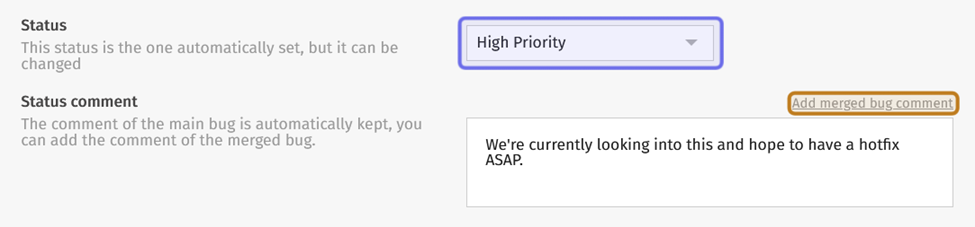
The status can be updated using the dropdown highlighted in purple above. “Add merged bug comment” is shown highlighted in yellow.
If you merge status comments, the status comment of the merged bug will appear below the comment of the target bug. “Add merged bug comment” will update to “Merged bug comment added.”
You can also use the text box to edit or add new content.
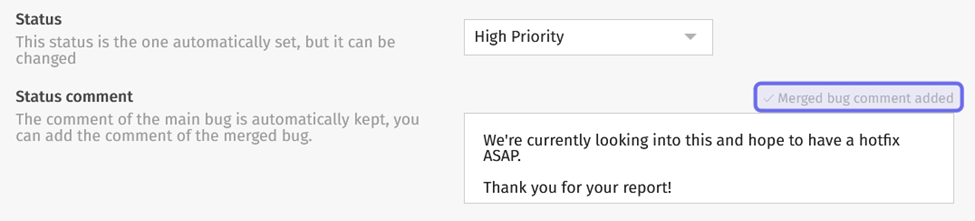
The text shown after status comments have been merged is highlighted in purple above.
The second text box reflects the “Dev Follow-Up” block.
If the target bug has a follow-up ticket link, the developer follow-up message will appear in the second text box. This message cannot be deleted.
Note: If there is a target bug ticket link, it will be kept, even if the merged bug also has a link.
If the merged bug has a follow-up ticket link, but the target bug does not, click “Add merged bug comment” to the top right of the text box to add the ticket link and developer comment of the merged bug to the target bug.
If neither bug report has a ticket link, you will not be able to add a comment here. You can add a dev follow-up message and ticket link after the two bugs have been merged.
Click “Merge” at the bottom of the window to merge the current bug with the target bug.
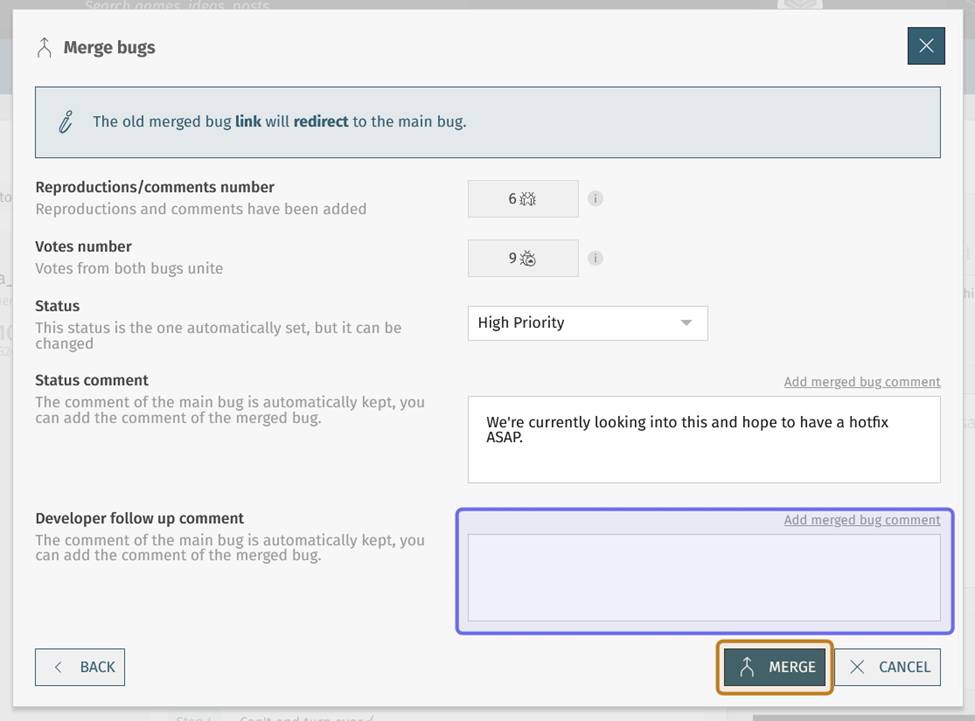
The comment highlighted in purple above will show a developer comment if the target bug has one. The “Merge” button is highlighted in yellow.
The merged bug will appear on the details page of the target bug. It will be labeled as “merged” and the timestamp will reflect when the bug report was merged, rather than when the merged bug was first posted.
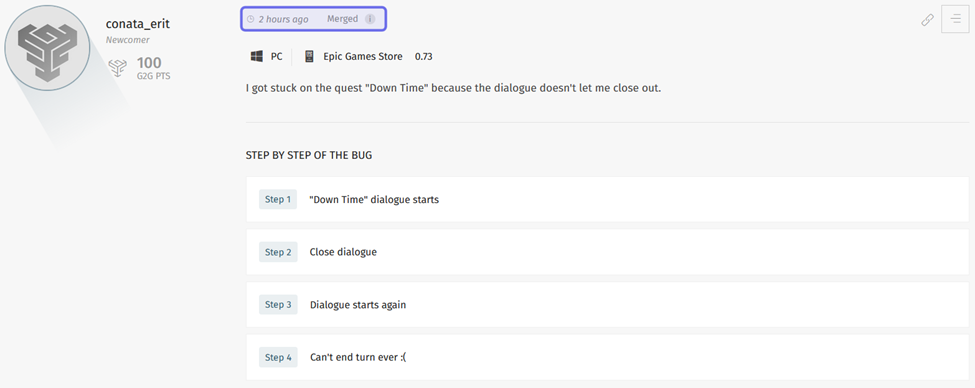
The merged bug is shown as a reproduction. Highlighted in purple are the new timestamp and the “Merged” label.
The author of the merged bug will no longer see their bug under “Published” on the “Bugs” homepage dashboard. Instead, the target bug will be listed under “Reproductions.”
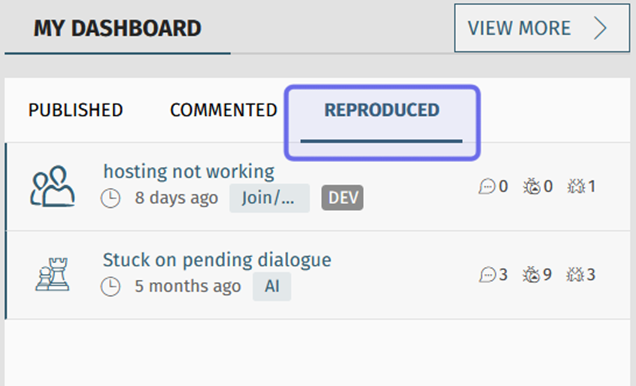
The “Reproduced” tab of “My Dashboard” on the “Bugs” homepage is shown above highlighted in purple. The merged bug appears under this tab for the merged bug’s author.
How do I merge a comment or bug reproduction?
You can also merge a comment or reproduction with a new parent bug.
To merge a comment or reproduction, click on the button with three horizontal lines in its top right. This will open the “Actions” toolbar.
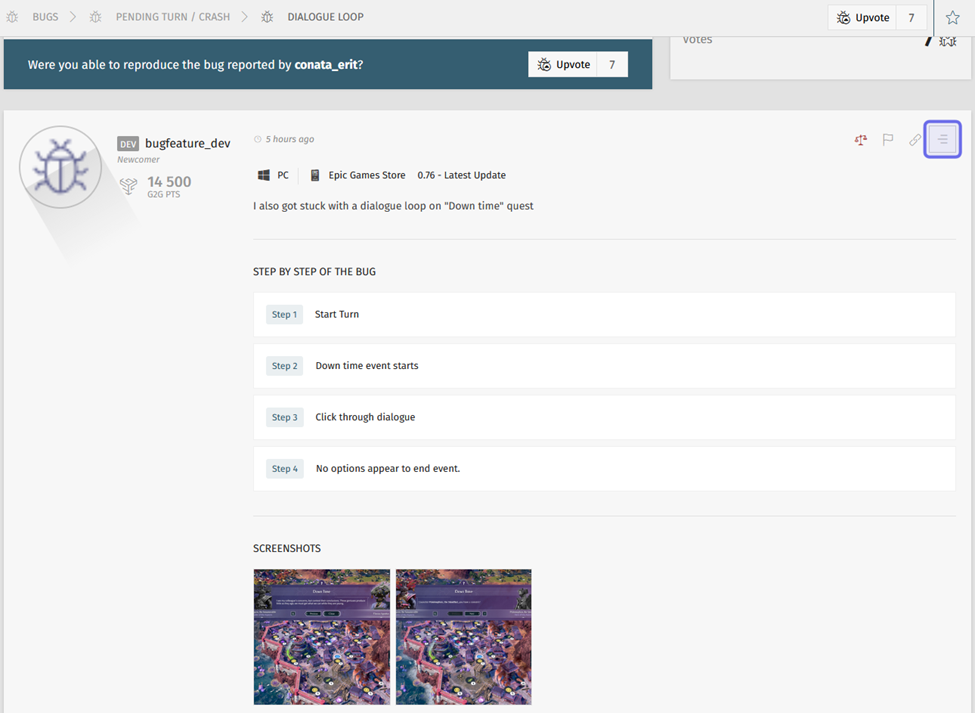
A bug reproduction is shown above. The button highlighted in purple opens the “Actions” toolbar.
Click the “Merge” button. The “Merge” button has an icon with a vertical arrow.
A window will pop up with a text field. Enter the URL of the new parent bug. You cannot merge a comment or bug reproduction with its current parent.
Then, click “Merge.”
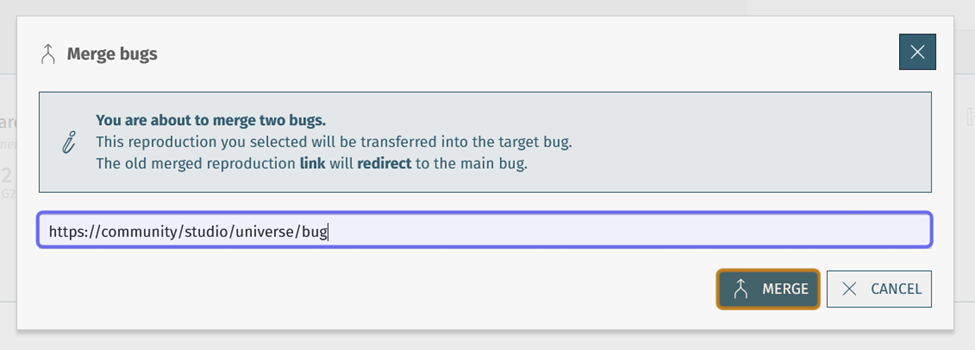
The URL text field is highlighted in purple above. The “Merge” button is highlighted in yellow.
The comment or reproduction will now appear at the bottom of the details page of the new target bug. It will be labeled as “Merged” and the timestamp will be updated to when it was merged.
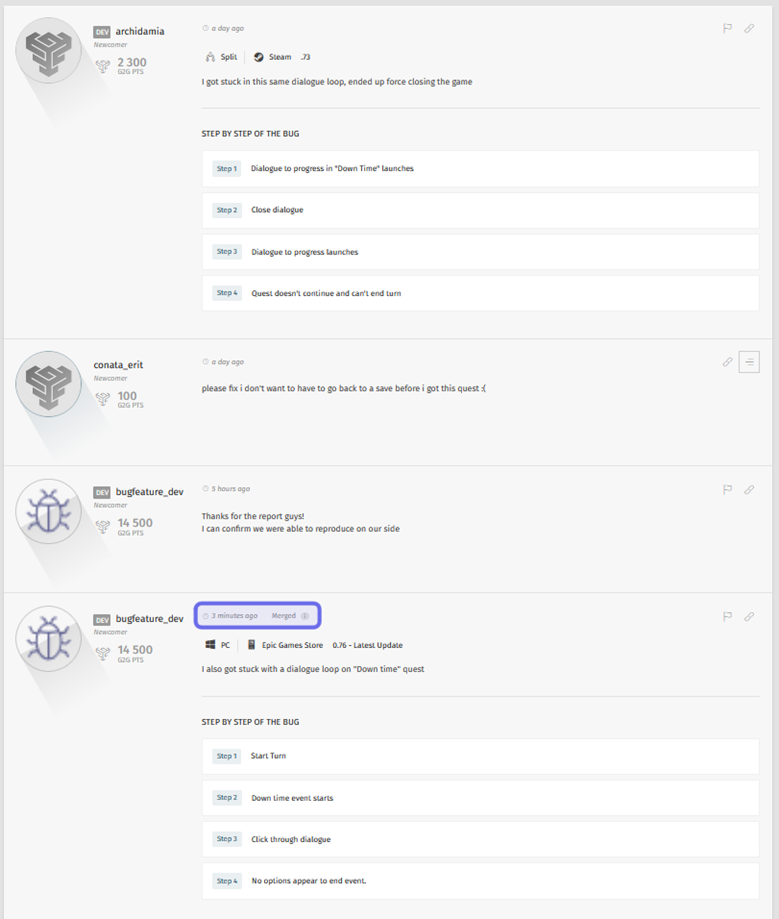
The reply thread of the target bug is shown above. The merged reproduction is shown at the bottom of the thread. The “Merged” label and updated timestamp is highlighted in purple.
How do I find a target bug URL?
To find the URL of the target bug, go to the details page of that bug report. Click the hyperlink icon at the top right of the bug description.
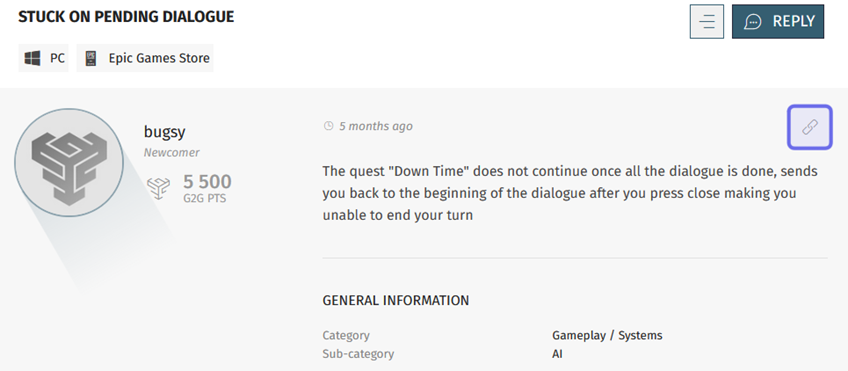
The hyperlink icon highlighted in purple above will copy the URL of this bug.
You can also copy the URL from your browser’s address bar.

A browser address bar is shown outlined in purple.
To successfully merge a bug report, bug reproduction, or comment, you must enter a valid target bug URL. If you enter an invalid URL and click “Confirm,” an error message will appear below the text field.
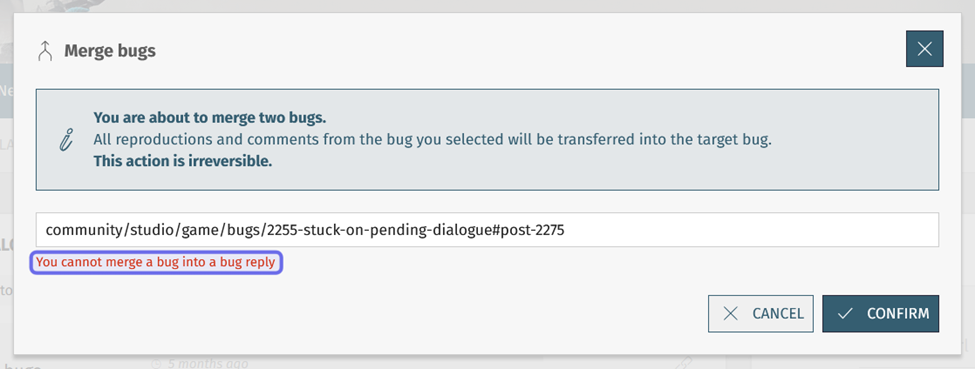
An invalid URL was entered into the above text field. The error message is highlighted in purple.
The following links are invalid:
A link to a comment or reproduction’s current parent bug report
A link to an individual comment or bug reproduction
The current link of the bug report you are merging
A link to a moderated bug
A link to a deleted bug
A link to a shadowbanned bug